Hostinger VPS: how to run OpenClaw, Hermes AI and Paperclip AI in the cloud without installing anything locally
Closing your laptop should not kill your AI Agents. On a Hostinger KVM2 VPS at around €9 per month you can run OpenClaw, Hermes AI and Paperclip AI 24/7 in an EU data centre — no Mac Mini, no networking pain, no hardware to babysit.
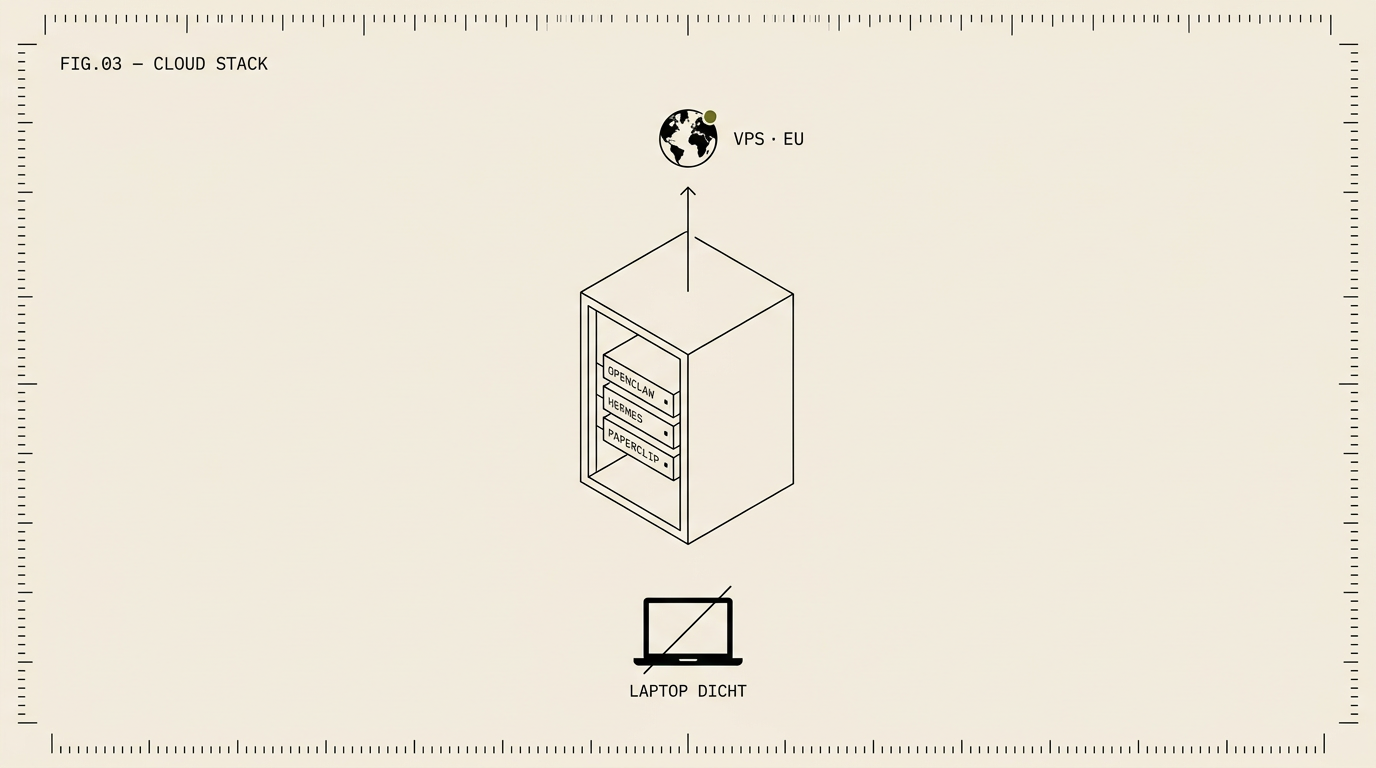
Closing your laptop should not kill your AI Agents. On a Hostinger KVM2 VPS at around €9 per month you can run OpenClaw, Hermes AI and Paperclip AI 24/7 in an EU data centre — no Mac Mini, no networking pain, no hardware to babysit.
Building your own automation stack on a local Mac Mini or an old laptop has a certain romance to it. You have physical control, you literally see the lights flashing, and there are no monthly cloud costs. But reality hits most solopreneurs hard as soon as you shut the lid of that laptop and head to a meeting: your AI Agents die. Webhooks no longer arrive, incoming emails pile up, and open quotes are not followed up on. If you want to operate reliably, you need constant uptime and a fixed, publicly accessible address.
The traditional solution was complicated: opening network ports in your router, wrestling with dynamic IP addresses, and vague tunnel services. Today, at The Automation Group (TAG), we solve this differently. We simply run our stack — OpenClaw, Hermes AI, and Paperclip AI — in the cloud. Not on exorbitant enterprise infrastructure, but on a highly affordable Hostinger KVM VPS. Within ten minutes, you have a robust environment running, your laptop can be turned off, and your AI team continues to work undisturbed.
Why Hostinger and not AWS or Hetzner
When you take the step to the cloud, you quickly stumble across the familiar names. Amazon Web Services (AWS) is the market leader, but for a "zero person company" founder or SME owner, it is unnecessarily complex. Before you can run a simple container, you become entangled in IAM roles, VPC configurations, and unpredictable invoices. On the other hand, you have providers like Hetzner. Technically rock-solid and cheap, but it requires in-depth Linux knowledge; the "1-click experience" is missing.
Hostinger currently offers exactly the balance we are looking for with our tools. You get the performance of KVM virtualisation combined with lightning-fast NVMe storage. The interface offers what we internally call a "consumer-grade Developer Experience": it is built for people who want quick results. They offer ready-made 1-click Docker and AI templates based on full Ubuntu or Debian images, including root access and SSH. Should you still get stuck in the command line, their built-in AI assistant named Kodee will help you with server management and terminal commands.
In addition, the infrastructure is available worldwide. You can choose from data centres in the United States, the United Kingdom, Brazil, India, and Singapore, but for European users, the choice is even simpler: Hostinger has data centres in the Netherlands and Lithuania. By choosing an EU region, you immediately take a major step towards compliance.
Choosing the right plan for your stack
Not every setup needs the same amount of computing power. Hostinger offers various KVM plans. Because you have complete freedom on the server, you simply scale along with your needs.
- KVM 1: 1 vCPU, 4GB RAM, 50GB NVMe, and 4TB bandwidth. Promotional price ±€6.49 per month (renewal ±€11.99). This is perfect if you only want to run one isolated tool. For example, just Paperclip AI for your back office, or only Hermes AI for email handling.
- KVM 2 (Most popular): 2 vCPU, 8GB RAM, 100GB NVMe, and 8TB bandwidth. Promotional price ±€8.99 per month (renewal ±€14.99). This is the "sweet spot" and our standard recommendation. The entire TAG stack (OpenClaw as the brain, linked to Hermes and Paperclip) runs smoothly on this without memory bottlenecks.
- KVM 4: 4 vCPU, 16GB RAM, 200GB NVMe for ±€12.99 per month at the time of the promo. Choose this plan if you run many parallel AI Agents simultaneously, or when you locally generate heavy vector embeddings that eat up a lot of RAM.
For the absolute heavyweights, there is also the KVM 8 (8 vCPU, 32GB RAM, 400GB NVMe for a ±€25.99 per month promo), but the average solopreneur will find the capacity of the KVM 2 to be more than sufficient.
Setup at a glance
Setting up this infrastructure no longer requires hours of work. The procedure is straightforward. Order your chosen VPS and select a data centre in the EU. During the installation wizard, choose Ubuntu 24.04 combined with the Docker template as your operating system. Hostinger configures the server, installs the necessary runtime, and provides you with a fresh IP address.
Next, you connect via SSH. Because Docker is already installed, the task is limited to fetching your configuration and starting the containers. In practice, that looks something like this:
# Update de server pakketten voor de zekerheid
apt update && apt upgrade -y

# Clone de repository met jouw TAG-stack configuratie
git clone <jouw-openclaw-repo> tag-stack
cd tag-stack

# Vul je omgevingsvariabelen in (API keys, etc.)
nano .env

# Start de volledige stack op de achtergrond
docker compose up -d
Within minutes, Docker downloads the required images and brings your system to life.
OpenClaw in the cloud: from Mac Mini to VPS
OpenClaw is the beating heart of the setup. This open-source self-hosted AI Agent framework — formerly known as Clawdbot and now boasting over 100,000 GitHub stars — excels in its multi-agent architecture, built-in memory, and Model Context Protocol (MCP) integrations.
When you move OpenClaw away from a local Mac Mini and run it on a VPS, the way you talk to the outside world changes. You are no longer bound to a local network. Through Hostinger's DNS settings, you can easily link a public subdomain (for example, agents.yourcompany.com) to your VPS IP. By including a reverse proxy in your Docker stack — such as Caddy or Nginx combined with Let's Encrypt — you instantly enforce a secure TLS/HTTPS connection.
This makes linking external channels like Telegram, WhatsApp, or Slack trivial. Where you previously had to force external webhooks to your laptop via ngrok, these services now simply send their data to your secure VPS. Crucially, your data sovereignty is maintained: because you manage the Hostinger VPS yourself, the vector database containing the 'memory' of your AI Agents is written locally to your shielded slice of NVMe storage.
Hermes AI always accessible
Our communication agent, Hermes AI, is designed to act as a tireless gatekeeper. Hermes handles incoming and outgoing messaging across channels like email, WhatsApp, and voice. Such an agent simply does not belong on hardware that goes into sleep mode.
Email is a good example of this. Hermes uses IMAP idle protocols to respond in real-time to incoming messages. If you force the agent to run on a laptop, Hermes will have to restore the session every time your network connection drops, causing you to miss messages or respond more slowly. On the VPS, Hermes runs continuously. Because the agent speaks on your behalf, it is crucial that secrets management is taken seriously. Never hardcode API keys, SMTP passwords, or WhatsApp tokens in your configuration files, but strictly load them as environment variables (via the .env file) on your secure server.
Paperclip AI as your back office that never sleeps
Paperclip AI forms the foundation of the "zero person company". Where OpenClaw thinks and Hermes communicates, Paperclip automates the administrative back office. Think of generating quotes, creating and booking invoices, sending follow-ups for unpaid bills, and processing standard contracts.
When you run a business on your own, the operational side typically comes to a standstill while you sleep. By running Paperclip AI on an always-on VPS, that dynamic changes fundamentally. The tool uses cron-like scheduling to start processes autonomously. You can configure a *nightly invoice run* where the agent checks time tracking at 03:00, generates invoices, and immediately prepares them via Hermes for sending in the early morning. Lead scoring and follow-up sequences also run seamlessly. To your clients and prospects, it appears as though you employ a highly accurate and dedicated back-office team.
When you should still run it locally or on-prem
Is the cloud truly superior in every situation? No, we must remain pragmatic. There are specific scenarios where a physical Mac Mini on-premise, or a dedicated bare-metal server in a locked room, is still the smartest choice. This applies specifically when you are working with extremely sensitive data.
Companies in healthcare, the heavily compliance-reliant legal sector, or defence-related industries may operate under regulations that require data not to physically leave the company walls. For these types of niche applications, local hosting is absolutely superior. However, for the average solopreneur or SME owner, the KVM VPS at Hostinger is more than sufficient. As long as you choose an EU data centre and establish the standardly available Data Processing Agreement (DPA) with Hostinger, your setup is defensible and solidly arranged from a GDPR perspective.
The zero person company is no longer a meme
The idea of starting and scaling a business without ever having to hire staff was an internet meme for a long time. Today, it is an achievable reality thanks to powerful, modular automation.
When you deploy OpenClaw to think and reason, let Hermes AI communicate across all your channels, and have Paperclip AI flawlessly update the back office, you effectively build a team of three highly skilled employees. By hosting this collective of AI Agents for just under ten euros a month on a KVM 2 VPS at Hostinger, you create a machine that never sleeps, is never ill, and can be managed by you from any device in the world. No lugging hardware around, no dependence on your laptop battery. Do you want to roll out this infrastructure yourself but have doubts about the finer details? Take a look at the official TAG documentation for help with the initial setup, log into your bare server, and let your new team do the heavy lifting.